The Kubernetes IDE.
Built in Rust.
Engineered for speed.
AI-native, context-aware, and built to help you understand your cluster, compare changes, manage resources, and roll back with confidence.
curl -fsSL https://apps.redfunction.ee/KubezillaDesktop/install.sh | sh


One place for every Kubernetes workflow.
Operate clusters, ship changes, and work with AI — all with live cluster context.
- Cluster
- Resources
- Helm
- Argo CD
- Metrics
- AI
- Storage
Manage every cluster from one place
Multi-cluster
Work across clusters and contexts
Cluster operations
Logs, shell, port forwarding and live edits
Resource graph
See relationships and dependencies
Metrics
Live resource and network metrics
Cluster storage
Browse, edit and move cluster data
Compare resources
Diff live resources side by side
Deploy with confidence
Argo CD
Inspect, sync, diff and roll back
Helm
Install, upgrade and roll back releases
Agents that understand your cluster
Agent terminal
Use Claude Code, Codex and Gemini CLI
Cluster-aware diagnostics
Diagnose resources using live cluster context
MCP tools
Give agents structured access to the live cluster
Your AI starts with the cluster, not from scratch.
Kubezilla Desktop gives agents the context and tools they need before the first command.
- Runs kubectl commands
- Reads raw output
- Needs manual context
- Starts from scratch
 Kubezilla Console
- Knows the selected resource
- Gets structured cluster context
- Starts with diagnostics
- Uses Kubernetes-aware workflows
Fast. Local. Lightweight.
Direct access to your clusters, without a heavy runtime in the way.
Instant navigation
Switch clusters, inspect resources and open workflows without waiting for the UI.
Low overhead
Native execution keeps CPU and memory usage low during daily operations.
Responsive at scale
Virtualized resource views stay fast across large Kubernetes environments.
Private by design
Your kubeconfigs and credentials never leave your machine. No cloud sync, no SaaS lock-in.
A calmer way to operate.
Rich cluster data. Minimal visual noise.
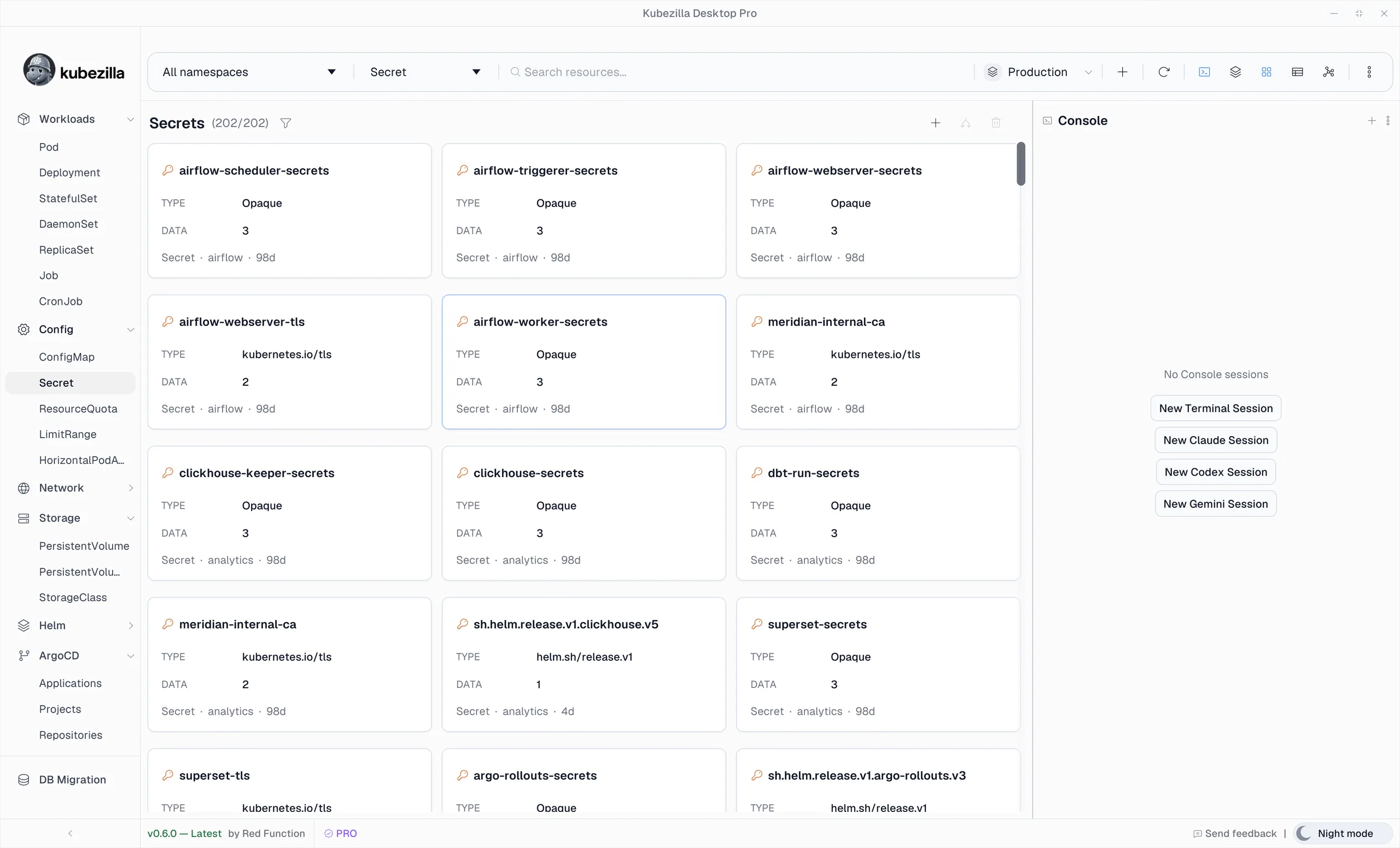
Kubernetes is complex. Using it shouldn’t be.
We’re building Kubezilla Desktop around a few simple ideas.
Stay in context.
Your tools, resources, and workflows belong together.
Keep the power. Skip the detours.
Powerful infrastructure doesn’t need a complicated interface.
Fast should feel normal.
No heavy runtime between you and your cluster.
AI should know where it is.
Agents are more useful when they understand the system they’re working in.
Built for serious cluster work.
Everything you need to operate, troubleshoot, and ship with confidence.
One workspace. Every cluster.
Operate across clusters without rebuilding your workflow around each environment.
Use the UI. Access everything.
Handle everyday Kubernetes work visually, with a calm interface and the tools built for professional cluster work.
From diagnosis to change.
Inspect, troubleshoot, edit, diff, and ship without bouncing between disconnected tools.
Works with what you already have.
Bring your clusters, GitOps workflows, and existing tooling.
Your cluster access stays local.
Kubeconfigs and credentials stay on your device. Kubezilla Desktop connects directly to your clusters.
Built on open standards.
Native Kubernetes APIs, kubeconfigs, and standard GitOps tooling — no proprietary cluster layer.
Simple pricing. No surprises.
Free for home labs. One plan for professionals.
Go deeper with Kubezilla Desktop.
Task-focused guides for connecting clusters, debugging workloads, shipping changes, and working with AI.
Learn by doing.
Follow a practical guide and put Kubezilla Desktop to work on a real Kubernetes task.

Kubernetes, without the friction.
Free to download. Connects to any cluster your kubeconfig can reach.